
Smart Intercom · WhatsApp Powered
Intercom and Gate control via WhatsApp
EnterX is a next-generation intercom that sends a live photo of your visitor directly to your WhatsApp — so you can open or deny access from anywhere in the world, no extra app needed.
- WiFi Connected
- Camera & Flashlight
- One-time Access Codes
- iOS & Android Compatible
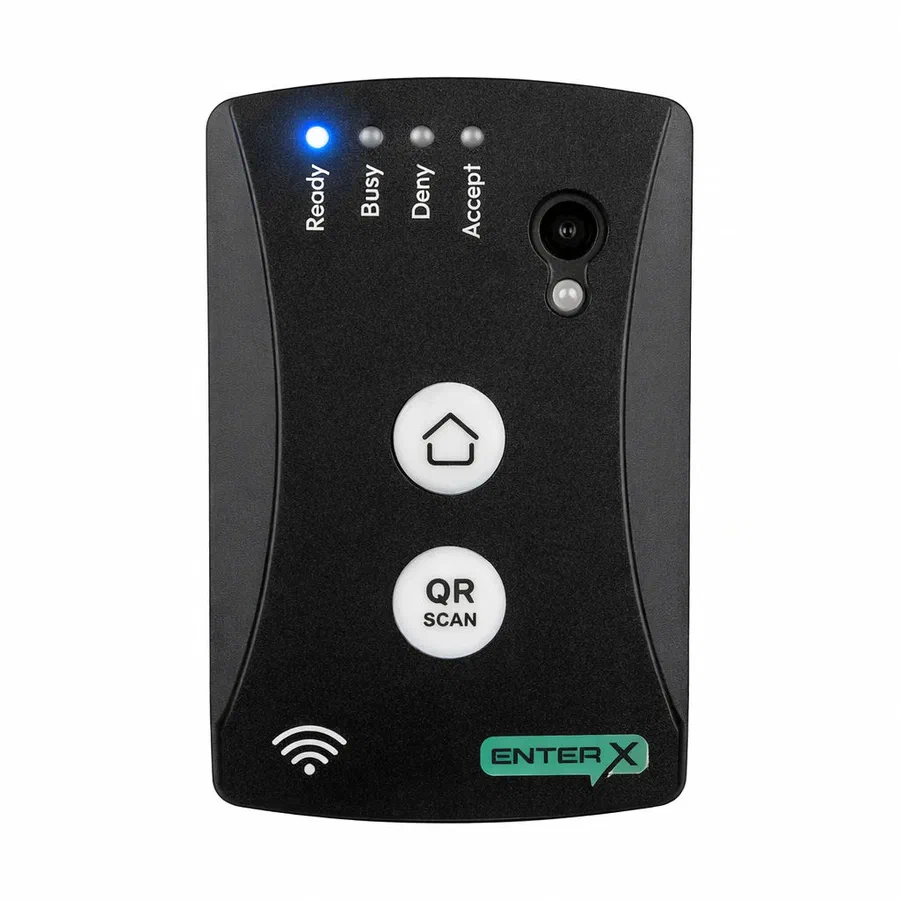
What is EnterX
A smarter way to manage gate access
EnterX is an innovative intercom that uses WhatsApp to notify residents when someone is at the gate. When a visitor presses the button, the device captures their photo and sends it instantly to all registered residents via WhatsApp.
There's nothing new to install — if your family already uses WhatsApp, they can control your gate from anywhere in the world. Grant access, deny entry, or send a temporary one-time access code to a guest, all from within your existing WhatsApp app.
EnterX connects via your home WiFi and runs on a standard 12V supply — compatible with most existing gate and door installations.
Works with WhatsApp — no app needed
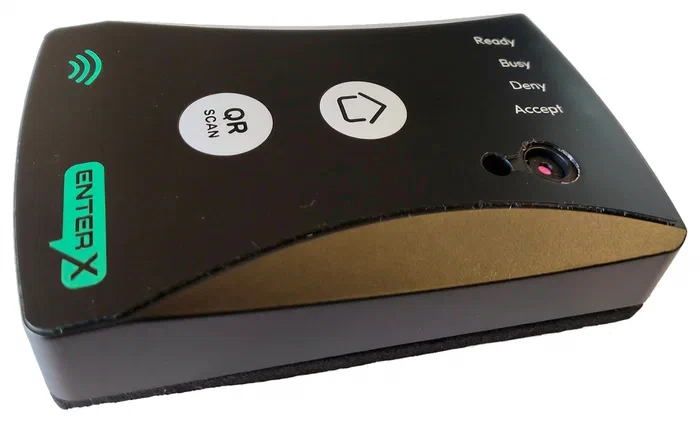
Product Features
Everything you need, nothing you don't
EnterX has been designed to be powerful yet simple — for both homeowners and multi-resident complexes.
Live Visitor Photo
When a visitor presses the HOME button, the device captures a photo and sends it to all residents via WhatsApp instantly over WiFi.
Open Gate from WhatsApp
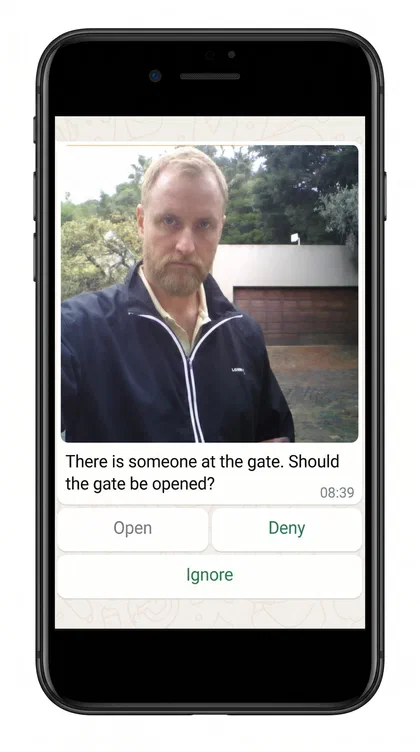
Reply directly in WhatsApp with a tap — Open, Deny, or Ignore. The first response from any resident takes effect immediately.
One-time Guest Access with QR Code
Generate a temporary QR code via WhatsApp to grant a guest one-time access. They present the code to the device camera for hands-free entry.
Multiple Residents
Add or remove any number of residents via WhatsApp commands. All residents receive gate alerts simultaneously. Only the owner can manage residents.
Anti-Theft Protection
Each device is permanently registered to one owner. Even after a factory reset it remains locked to that owner — worthless to any thief.
Works on Any Platform
Uses WhatsApp — no separate app to download or account to create. Works on both Apple and Android phones, on any mobile network.
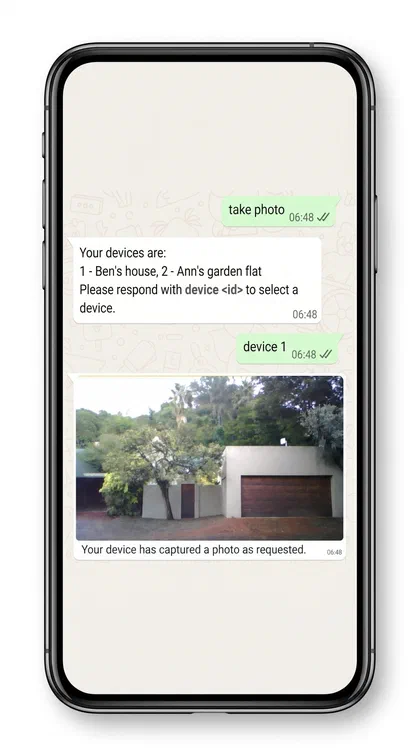
Request photos of the entrance at any time
Even without a visitor at the gate, any resident can send a WhatsApp command to take an instant photo of the entrance — perfect for checking deliveries, peace of mind while away, or verifying who is at the door.
How It Works
Two ways into your gate
Visitors have two simple options at the device. All resident interactions happen through WhatsApp — no new apps, no learning curve.
Visitor presses the HOME button
The device takes a photo and sends a WhatsApp message to all residents with the image and options to Open, Deny, or Ignore the request.
Resident responds in WhatsApp
The first resident to tap Open or Deny determines the outcome — regardless of what others do later. The gate opens or stays closed accordingly.
Guest uses a QR code
If a resident previously sent a visitor a QR code via WhatsApp, the visitor can press QR SCAN and hold their phone's QR code up to the device camera for automatic entry — no resident action needed.
Residents get notified of QR entry
When a valid QR code is used to open the gate, all residents receive a WhatsApp notification informing them of the visitor's entry.
Device Setup
Up and running in minutes
Setup is done entirely from your smartphone's web browser — no technical knowledge required.
Choose a Location & Check WiFi
Mount at eye level for the best visitor photo. Check the WiFi signal strength at that spot (use a free app like Ubiquiti WiFiman).
Connect Power & Relay
Connect 12V power to the screw terminals. To control a gate or door, wire the dry-contact relay.
Connect to the EnterX's temporary hotspot
When powered on for the first time, EnterX creates a WiFi hotspot. Connect to it with your phone and open the page
192.168.6.1.Complete the Setup Process
The setup process guides you through a few easy steps — you just follow the instructions in your browser.
Register as Owner
During setup the owner of the device is registered via WhatsApp. This is a one-time, permanent registration and is the anti-theft mechanism that renders the device useless to thieves.
Finish
At the end of setup the temporary hotspot switches off and the device enters normal operation with the Ready light lit blue.
Pricing
3 months free, then pay-as-you-use
Your EnterX device purchase comes with a 3 month free period for the owner/resident. Thereafter it's pay-as-you-use — R15 for the primary resident and R10 for additional residents. Minors with limited functionality is R5 per month and a guard or armed response user is also free. No credit cards and no subscription required.
Once the free period expires, the owner of the device will receive payment information via WhatsApp from the EnterX system.
3 months free
then
R15/mo
primary resident — R10 additional, R5 minors, guard/armed response free, via InstantEFT
Buy an EnterXOur Resellers
Buy from our distributors



WhatsApp Interface
Control everything by chat
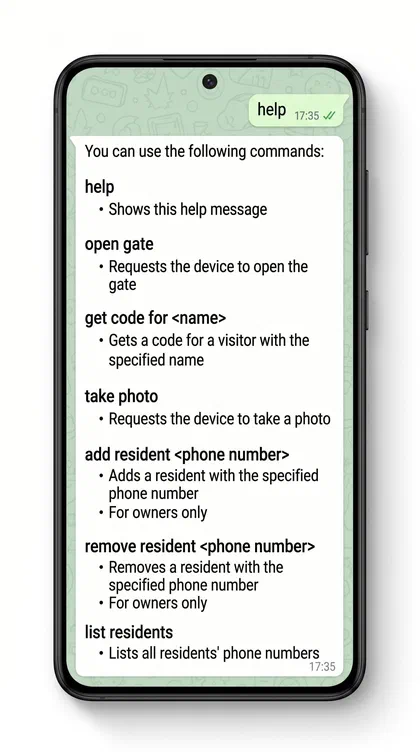
Once set up, all owner and resident interactions happen through WhatsApp. Send these commands to the EnterX WhatsApp number stored during setup.
| Command | What it does |
|---|---|
help | Shows the full list of available commands |
open gate | Requests the device to open the gate remotely |
get code for <name> | Generates a temporary QR code for a visitor with the given name and sends it to them via WhatsApp |
take photo | Requests the device to take and send a photo of what's at the gate |
add resident <number> | Adds a resident by phone number Owner only |
remove resident <number> | Removes a resident by phone number Owner only |
list residents | Lists all registered residents' phone numbers |
💡 Not sure what to type? Just send help to get the full list of commands at any time.
Status Indicators
Know exactly what's happening
Four LED indicators on the device show its current state at a glance. During normal operation only one LED is on at a time (solid, not blinking).
READY
Device is connected to the internet and ready to be used by a visitor. This is the normal standby state.
BUSY
The HOME button was pressed and the device is waiting for a resident response. Or the QR SCAN button was pressed and the camera is scanning.
DENY
A resident denied the visitor access, or the camera identified an invalid QR code. Access was not granted.
ACCEPT
A resident granted the visitor access, or a valid QR code was identified. The gate relay has been triggered to open.
Technical Specifications
Built to last, built to install
Compact, low-power, and designed for outdoor gate installations.
| Dimensions | 115 × 75 × 29 mm (H × W × D) |
|---|---|
| Weight | 109 g |
| IP Rating | Fully water and dust resistant when correctly mounted against a waterproof surface in an upright position |
| Operating Temp. | 0 – 50 °C |
| Power Supply | 9 – 14 VDC @ 0.2 A (max 2.4 W) |
| Gate Switch | Dry contact relay NC and NO, 3 A max |
| WiFi | 2.4 GHz, IEEE 802.11 b/g/n |
| Camera | 800 × 600 pixels |
| Flash | 8930 mcd, 55° view angle |
⚠ Power listed is for the device only. Add the power requirements of any connected gate or door solenoid to determine total draw.
Get in Touch
We'd love to hear from you
Have questions, need support, or want an EnterX for your home? Send us a message using the form, or reach us on any of the channels listed.
Website
enterx.co.zaEmail
info@enterx.co.zaTelephone
+27 87 230 0134
The notifications WhatsApp number (+1 814 718-4199) is for device notifications only — please do not use it for enquiries or support.